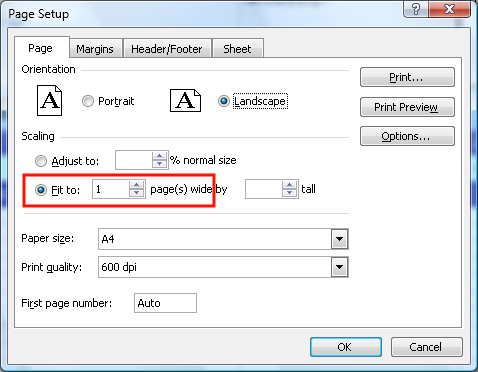
How can I tell a template to fit all columns in a page when generating reports From Visual LANSA Framework previous page next page How can I tell a template to fit all columns in a page when generating reports? Open the Page Setup dialog box, set to ‘fit to 1 page width’, then save your template. previous page start next page