Using the Arch Tool
Using the Arch Tool
The Arch tool allows you to make complicated curved arches or circular staircases simply and quickly.
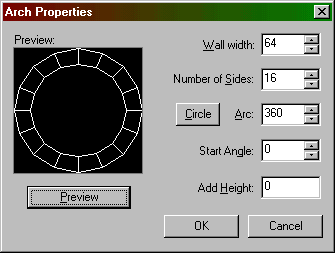
There are a number of options you can modify here:
-
Wall width - this is the width of the individual pieces of the arch. You can extend the arch walls outward by using a negative value here.
- Number
of sides - enter a value between 3 and 100.
- Arc
- this is the number of degrees the arch will span. You can enter a
value here that is between 8 and 360.
- Start
Angle - this lets you adjust the angle of the arch pieces.
- Add Height - Each successive piece of the arch will be raised this many units. This allows you to make, for example, a curved stairway. In that case, you'd set this value to the height you want each stair to rise.
Return to the Valve Hammer Editor 3.x User's Guide