Load Picture, Load Icon Dialog Boxes
From Microsoft Visual Basic User Interface
Load Picture, Load Icon Dialog Boxes
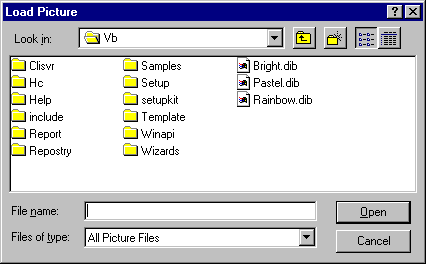
Loads an existing picture file.
Dialog Box Options
Look in
Select the location of the picture you want to open.
 Up One Level
Shows a list of folders or drives one level above the current folder.
 Create New Folder
Creates a new folder.
 List
List
Shows the folders or files in a list format that includes the icon and its name.
 Details
Shows the folders or files in a list that includes the icon and name, its size, type, and the date and time it was last modified.
File name
Select or type the name of a picture file you want to open.
List files of type
Select a file type. Files of the selected type appear in the File Name box.
- All Picture Files (*.bmp, *.dib, *.wmf, *.emf, *.ico, *.cur) — Lists all picture files.
- Bitmaps (*.bmp, *.dib) — Lists bitmaps and DIBs.
- Metafiles (*.wmf, *.wmf) — Lists Microsoft Windows Metafiles.
- Icons (*.ico, *.cur)—Lists the icons.
- All Files (*.*) — Lists files of all types.
Open
Opens the selected file.
Cancel
Closes the dialog box without loading a picture file.
Desktop
Lists the folders and files on the desktop. The files and folders are displayed in the File Name box.