Price Change Summary
From Amicus


| Amicus | |
| Price Change Summary | |
| See Also Submit feedback on this topic | |
| Key Areas > Stock Control And Products > Pricing > Price Change Summary |
Glossary Item Box
The Price Change Summary dialog provides an overview of the conditions required for the selected price change. This allows you to quickly see what conditions must be met for the price change to take effect. The Price Change Summary screen can can be accessed by selecting a price rule from the Promo Pricing dialogue and then pressing the Edit button.
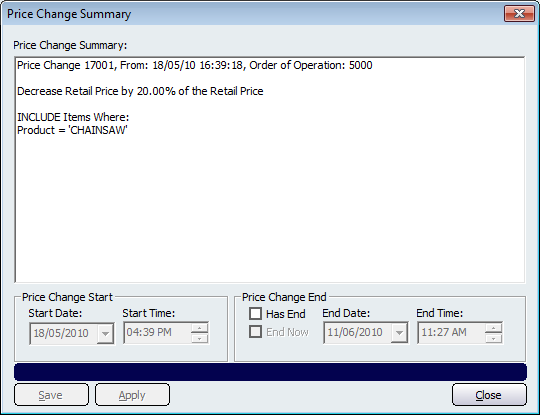
Figure : Price Change Summary dialog
Starting from the top of the screen, the first piece of information will be the description of the price change. After the description is the start date for when the price change will be, or has been, active (if there is an end date this will be shown after the start date).
The Order of Operation refers to the priority of the price change. For more information regarding orders of operation, refer to the Price Change in Pricing Wizard page.
The Decrease Retail Price by 20% of the Retail Price describes the change that will take place to the products price once the conditions are met. The price change can be configured from the Pricing Wizard as well as the Quick Price Entry dialogue screen.
The Price Change Start section of this screen informs you of when the price change will start. This includes the Start Date and the Start Time of the price change.
The Price Change End section of this screen allows you to configure when the price change will end. Clicking on the Has End checkbox will allow you to configure the End Date and End Time for when the price change rule will end. Clicking on the End Now checkbox will force the price change to end immediately.
Other buttons that perform actions on the Price Change Summary screen includes: Save, Apply, and Close.