This Register
From Amicus


Glossary Item Box
The preferences selected under the This Register option will only affect the individual register that they are entered on. To access the This Register option, click File on the Toolbar, followed by the Preferences option. This Register preferences may be set for:
-
The individual devices attached to this register;
-
Specific sales preferences for this register.
-
The till actions required for this register.
-
Enabling plugins for this register.
The Devices tab on the Preferences for This Till screen will be shown by default as shown in Figure .
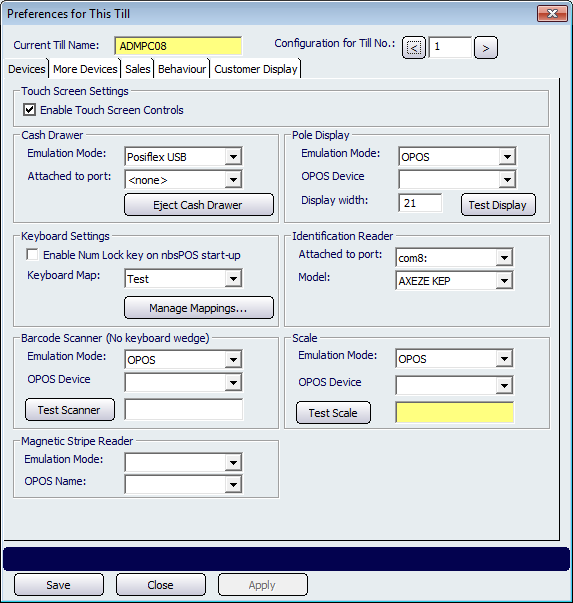
Figure : Use the Devices tab to specify peripheral devices for your register
Tab controls
These buttons appear at the bottom of all Preferences for This Till dialog tabs.
The Save button will save your changes and exit this screen.
When you click the Close button, and changes have been made to the information on this tab, a confirmation screen will appear asking whether you want to save the changes.
The Apply button will save your changes immediately and leave the Preferences for This Till screen open.