Spell Check
From WriteMonkey
Spell Check
Home | CategoriesF7 opens the dialog:
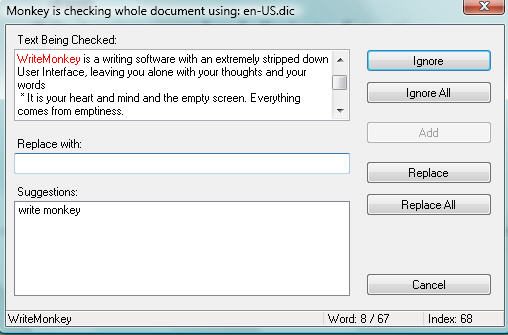
When you click 'ADD' the word will be added to user.dic
- WinXP: C:\ Documents and Settings\[Username]\AppData\NetSpell\user.dic
- Vista: C:\Users\[Username]\AppData\Roaming\NetSpell\user.dic
If you want to spell check only part of your text
- do it on a Segment Focus
- or select a block of text first
Settings
- Dictionaries are OpenOffice based
- Download additional dictionaries: writemonkey.com/download.php#dictionaries

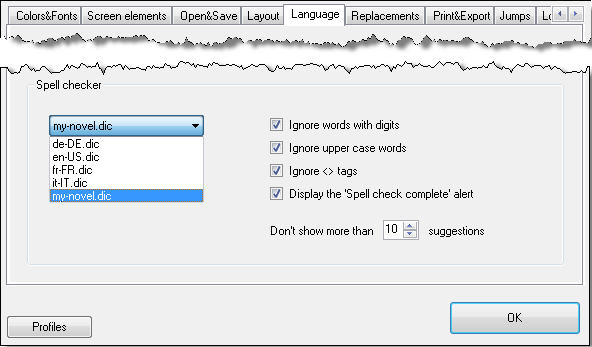
Consider saving your settings as a profile if you
- write in different languages
- need different spell checker settings for various types of work
Be careful when editing or customizing .dic files.
To complement them with your own entries at the very bottom:
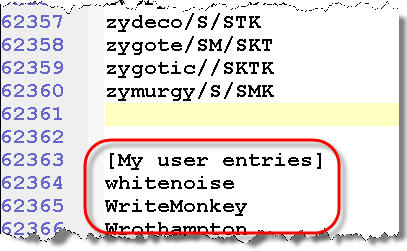
Always close WriteMonkey before messing with .dic files.
More info about the dictionary structure:
www.loresoft.com/projects/netspell/the-netspell-project/default.aspx
Categories: Writing
Related topics: Lookups
WriteMonkey version 2.4.0.6 | This helpfile last updated on Aug 29, 2012 --- Stefan Müller