Sprint Writing
From WriteMonkey
Sprint Writing
Home | CategoriesPress F12 to open the progress window (or click on the progress section in the Info Bar)
In the lower right set up your countdown timer:
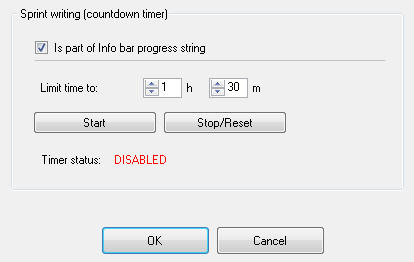
When your time is up, you will hear 3 short beeps
The Info Bar will display pertinent information:
- 'Time is up' in the Notices - section when time limit has been reached
- 'Paused' in the Status - section when you press ALT+F11 to pause
- [HH:mm:ss] countdown in the Time - section
You can also use the timer function the other way round:
- start with limit set to zero
- then see how long it takes you to accomplish your writing goal
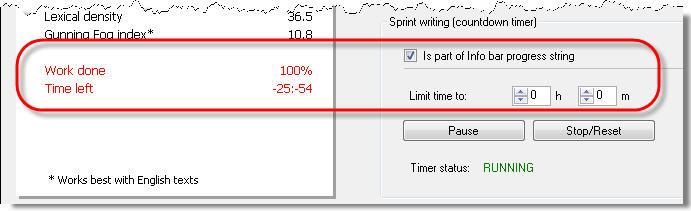
 use this in combination with the Visual Progress Bar to monitor your progress
Categories: What else?
Related topics: Info Bar | Progress + Statistics | Word Count
WriteMonkey version 2.4.0.6 | This helpfile last updated on Aug 29, 2012 --- Stefan Müller