Add Data Containers
From Alchemex 7.1
Home > Connector > Data Containers > Add Data Containers
Add Data Containers
A Data Container is simply a set of data which is made available (published) by the Connector which will allow users access to the data using the Report Manager Interface.
The source of this data can be either a Database Table, SQL Join, View, Graphical Join, Stored Procedure, or a SQL Query. Once you have configured your new Data Connection you will need to select your data containers which contain your source data.
Method:
- Open the Connector.
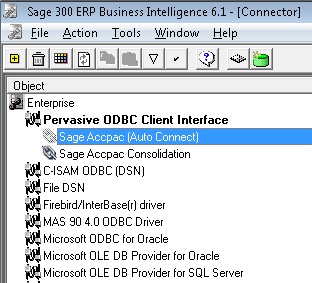
- Select a Data Connection : Sage Accpac (Auto Connect)
- Click the Add Connection
 button.
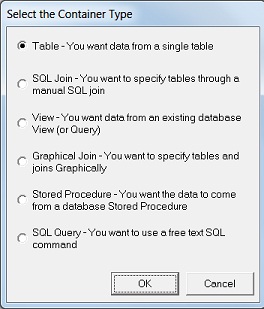
 - The Select the Container Type dialog box appears.
- Click OK to accept the default container type, which is Table, allowing you to add single containers.
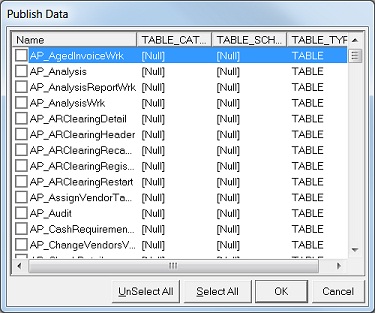
- The Publish Data dialog box appears.
- Select the tables that you want to report on and click OK. The new data container(s) will now appear in the object window.
- Note: You can select Table to add a container and then change the Container Type afterwards to a Join or a Graphical Join if you later decide to join this table to other tables. See Joining Tables for more information.
. 
To check that your chosen Data Containers are working and accessible,
select the Data Container in the Object
Window and on the Toolbar, click the Check/Test
 button which checks that the selected
object will function correctly.
button which checks that the selected
object will function correctly.