Setting pump prices in the Enabler
From Amicus


| Amicus | |
| Setting pump prices in the Enabler | |
| See Also Submit feedback on this topic | |
| Modules & Other Devices > Modules > Fuel Module > The Enabler > Setting pump prices in the Enabler |
Glossary Item Box
After the tanks and pumps have been setup in the enabler you can then set up the prices for each of the fuel pumps. To do this select Enabler Management and then select the Grade prices tab. Now the price for each pump can be set.
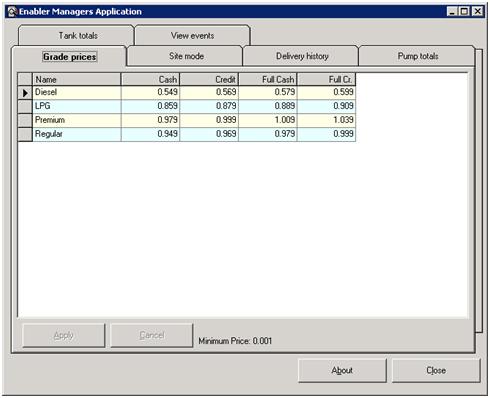
Figure : The Enabler Grade prices tab
The Enabler Managers Application has the following key functions:
Name – The name field refers to the name of the fuel
Cash – The cash field refers to the price of the fuel. To change the price select the field that you would like to update and then enter price of the fuel.
Credit – The credit field refers to the credit prices for each of the fuel types.
Full Cash – The full cash field refers to the full cash amount for each of the fuel types.
Full Credit – The full credit field refers to the full credit amount for each the fuel types.