Find + Replace
From WriteMonkey
Find + Replace
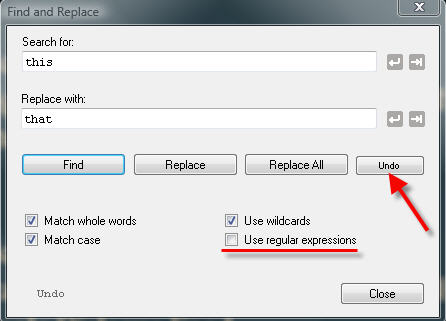
Home | CategoriesCTRL+F opens the dialog:
 will insert a newline
[n]
and tab
[t]
will insert a newline
[n]
and tab
[t]
When 'Use Regular Expressions' is enabled:
- this will override the checkbox 'Use Wildcards'
- use RegEx notation that works inline, no placeholders like '^' and '\n'
- you can combine your inline RegEx search with
 Please note
- Replace always affects the whole text, even if only part of it is selected
- To replace within parts only, use Segment Focus
- CTRL+Z will not undo
 leave the dialog open and click the 'Undo' button
To search for content in more than one file, use the Filter Feature
Categories: Writing
WriteMonkey version 2.4.0.6 | This helpfile last updated on Aug 29, 2012 --- Stefan Müller