Sending an Order
From Amicus


| Amicus | |
| Sending an Order | |
| Submit feedback on this topic | |
| Modules & Other Devices > Other Devices > PDA > Smart Docket > Order Creation in Smart Docket > Sending an Order |
Glossary Item Box
When an order has been taken it can be sent to the configured area printer for printing and processing.
To send an order, select Send Order to send the order and return to the Choose Table screen.
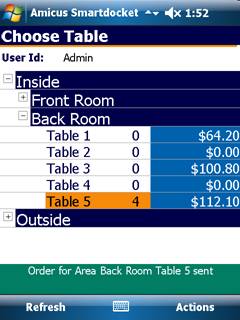
Figure : Order sent