Changing views
From Amicus


| Amicus | |
| Changing views | |
| Submit feedback on this topic | |
| Modules & Other Devices > Other Devices > PDA > Smart Docket > Order Creation in Smart Docket > Changing views |
Glossary Item Box
The Choose Table screen can be changed from Order Value view as shown in Figure 17 to Current Course view.
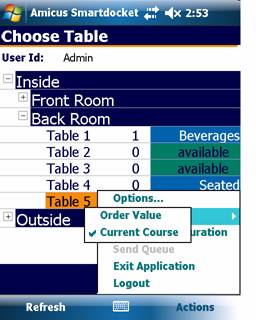
Figure : Choose Table screen— Current Course view.
To change the view, select Actions then Show and Current Course from the menu.