Sections explained
From Amicus


Glossary Item Box
Options – Lists the available filters to choose from. Select an option to filter any available results within the database. Note most of the filters are optional & if left blank will set the selection to <all> by default.
The filter to select a department includes a tree view structure that matched that of the department, sub department hierarchy as specified in the section Add and Edit Products.
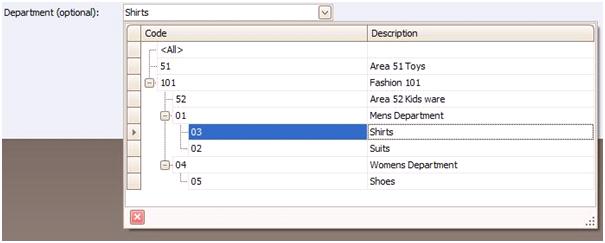
Figure : Department hierarchical tree view
The reports are split in to two sections Filters & Details
Filters – Filters list the filters chosen from the options pane.
Details – Displays the details in the report in a tabular format. Also may include a graphical representation.
Refer to the Glossary for extended explanations for Options, Filters & Details.