Customer Aged Balance Listing
From Amicus


| Amicus | |
| Customer Aged Balance Listing | |
| See Also Submit feedback on this topic | |
| Reports > Customer Reports > Customer Aged Balance Listing |
Glossary Item Box
Th Customer Aged Balance Listing report lists the customers balances owing for previous monthly periods.
Click Reports on the Main Menu, followed by Customer Reports then Customer Aged Balance Listing option. Alternatively, click Customers on the Toolbar followed by Reports, Customer Reports then Customer Aged Balance Listing option.
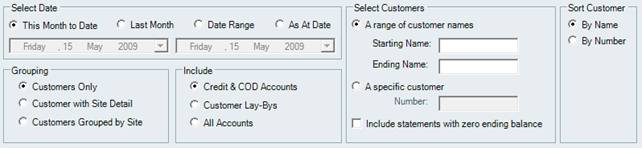
Figure : Customer Aged Balance Listing options
Options
The available customer transactions can be filtered by the date they were created in, choose the date range in Select Date, the dates can be This Month to Date, Last Month, a Date Range or the As At Date to specify a single date. the results can be further filtered by Select Customers and sorted by Sort Customer and Grouping. You can also Include which account types to include in the report; Credit & Cash On Delivery (COD), Customer Lay-Bys or All Accounts.
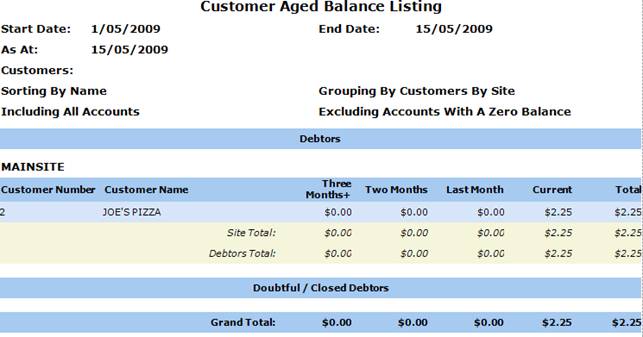
Figure : Customer Aged Balance Listing sample report
Filters
The filters displayed include; Start date, End Date and the accounts types included in the report & how the information if grouped.
Details
Results are additionally grouped into Debtors & Doubtful/Closed Debtors. Results displayed show Number, Name, Monthly Period Value and Totals.