Add-In Modules
From Alchemex 7.1
Home >
Add-In Modules
Sage Intelligence Reporting supplies Add-In modules which are constantly being upgraded. These modules extend the functionality of Sage Intelligence Reporting with Microsoft Excel. These Add-In modules are supplied as is and are used at your own risk.
To use the Add-In wizard click the Add-In Function Builder button next to the Run Add-Ins property of a report. To make sure that you always have the latest set of Add-In functions available keep your Sage Intelligence Reporting software up to date.
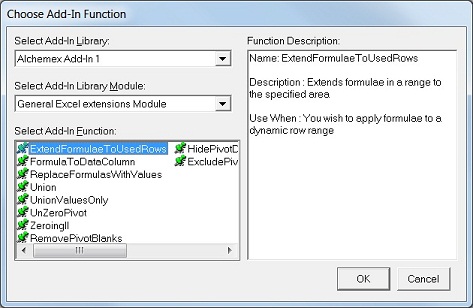
The Add-in functions available are self documenting. For a description of a given function select the function and view the Function Description in the Choose Add-In Function dialog box.
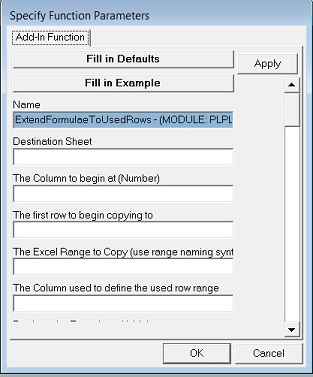
Once you have selected an Add-In function you will need to enter parameters for the function. Click the Fill in Example button to fill in an example of the parameters required for this function.
An example of this screen is shown below.