Overview
From ControlPad
Welcome to ControlPad
Control Everything with the Numeric Keypad| Version: | 0.72 |
|---|---|
| Release Date: | December 18, 2010 |
| Homepage: | sector-seven.net/software/controlpad |
| Author: | Danny Ben Shitrit (Sector-Seven) |
| Email: | db@sector-seven.net |
What is ControlPad?
ControlPad turns the numeric keypad on your keyboard to a Windows command execution system.
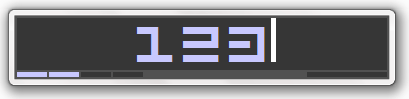
You may configure any numeric code to:
- Execute any program
- Open any document
- Open any web address
- Send any series of keystrokes to the operating system
Once ControlPad is running, press and hold the * key on the numeric keypad, for about 1 second. At this point, a small window will pop up, allowing you to enter any keyword or numeric code.
Pressing the code followed by Enter will execute the associated command
Commands are easily configured through the same interface - activate the input dialog (press and hold *), enter the desired code and press the numpad Divide button to associate a new command.
In addition, there is a built in timed beeper alert. For example, the command code "+5" will make a beeper sound in 5 minutes.
ControlPad was developed with AutoHotkey for Windows.
License
This software is provided for free for personal use.
You may distribute this software as long as it is distributed with all the files originally included in the downloaded package.
For further information please contact db@sector-seven.net.