Debugging Reports
From Alchemex
Home >
Debugging Reports
The Report Manager has two tools for assisting in Debugging reports. To switch the Report Manager into one of the debugging modes right click Home and click Switch Output Mode.
The following dialog box will appear.
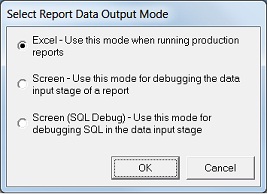
The available options are:
Excel
This is the Sage Accpac Intelligence default mode and is the mode in which Sage Accpac Intelligence reports are run out to Microsoft Excel.
Screen
This mode runs the Data extraction stage of a report and then simply outputs it to screen. All of the usual Excel data rendering functions are ignored (i.e. no template is used and no macros are run).
Screen (SQL Debug)
Like the Screen mode above this mode runs the Data extraction stage of a report and then simply outputs it to screen. Additionally when running a report the SQL query that is generated by the report for the Data extraction stage is intercepted by a SQL Debug window. This window allows the raw SQL statement to be viewed and tested.
If you choose the Screen (Sql Debug) option, the SQL Debug window will pop up with the SQL code that gets passed to the ODBC driver.
If you choose the Screen option, the raw data window will pop up with the raw data before it is passed to excel.
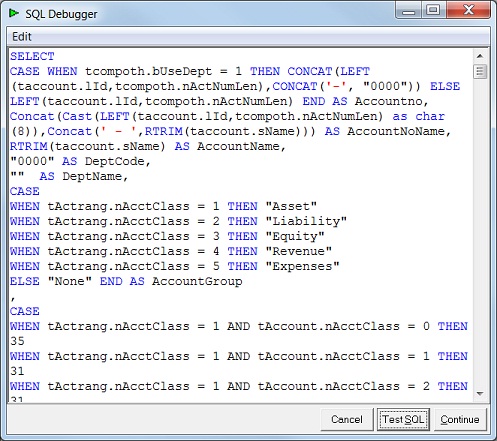
You can go through the SQL code to try find the problem, and then make the relevant changes to the container (Connector) of the report (Table joins, Field expressions . . .) or to the Report (Report Manager) itself (Filters, Aggregate Functions . . .)
NOTE: You will not be able the edit the SQL code in the Debug mode, you have to correct / make changes to the Container or Report directly.
From the SQL Debug window you can
Test SQL – Test the SQL code to see if it runs out successfully or not
Continue – To see what the raw data will look like in a Data output window
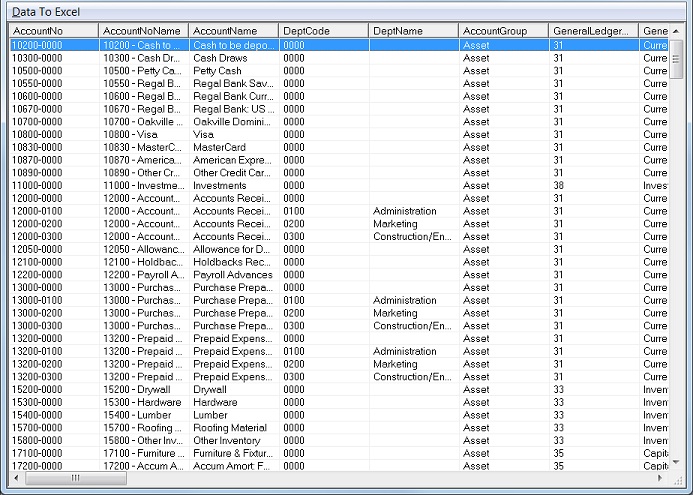
You can now easily go through the raw data, sorting fields by clicking on the field headings.
Things to Keep in Mind
When you open the Report Manager it defaults the Output mode to Excel every time, regardless of the state you closed the Report Manager in.
In a networked environment of Sage Accpac Intelligence, the Output mode you select will only be affective on the PC it was set on.