Add or Remove Columns
From Alchemex
Home >
Add or Remove Columns
Adding or removing Columns enables the user to manage the data that will be displayed in the report by identifying what Columns should be included or removed.
Add Columns to your report:
Select the report where you want to add columns
In the Object Window, click on the Columns Tab.
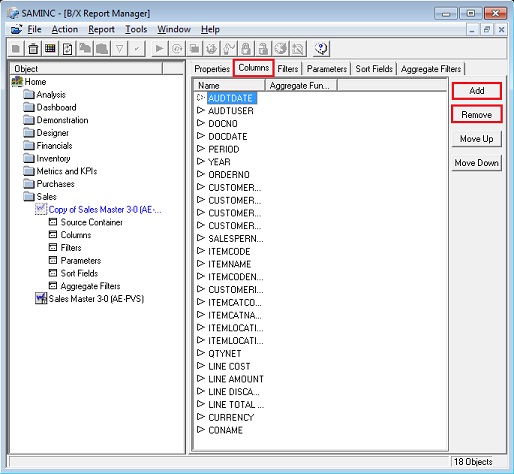
In the Object Window, click on the Add button
 , the Choose
Column Fields dialog box will be displayed.
, the Choose
Column Fields dialog box will be displayed.
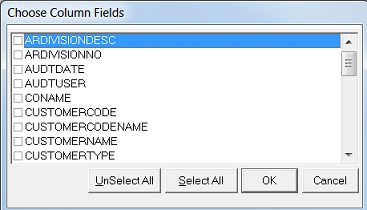
Select the Columns you would like to add to your report and click on OK.
You have now successfully added Columns to your report.
To Remove Columns
- In the Properties Window, select the Columns that you would like to delete.
- Click the Remove button.