Add Data Expressions
From Alchemex
Home > Connector > Data Expressions > Add Data Expressions
Add Data Expressions
Adding a Data Expression enables the system administrator to choose the data fields (publish) from the Data Container(s) which are available through the Report Manager.
Once you have selected your Data Container(s) which contain your source data you will need to add your Data Expression.
Add a Data Expression:
Select a Data Container.
- On the Toolbar, click the Add
 button.
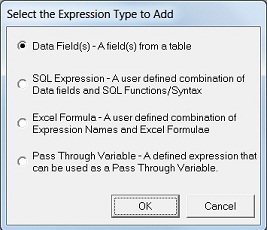
 - The Select the Expression Type to Add dialog box will appear.
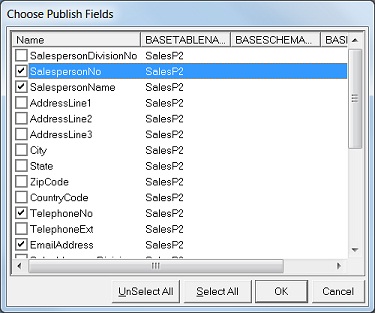
- For Field(s) in a Table choose the Data Field(s) option. If Data Fields are being added to a Container that uses more than one Table then you will be prompted for the Tables to add fields from. Select the Tables. A Choose Publish Fields dialog box which contains your data container fields will appear.
- Select the fields that you want to be available in your container (and will be available for reporting) and click OK.
- The new Data Expression(s) should now appear in the Object Window.