Supplier Listing Report
From Amicus


| Amicus | |
| Supplier Listing Report | |
| See Also Submit feedback on this topic | |
| Reports > Supplier Reports > Supplier Listing Report |
Glossary Item Box
This report lists all the contact and business details for known suppliers.
Click Reports on the Main Menu, followed by Supplier Reports then Supplier Listing Report option. Alternatively, click Supplier on the Toolbar followed by Reports, Supplier Reports then Supplier Listing Report option.
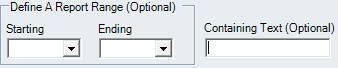
Figure : Supplier Listing Report options
Options
Define A report Range (Optional) by selecting the suppliers initials or the Containing Text (Optional).
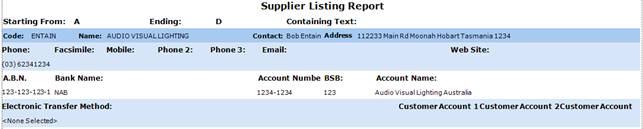
Figure : Supplier Listing Report sample report
Filters
The filters selected are listed on the reports as supplier names Starting From / Ending initials and Containing text.
Details
The suppliers information is listed by; Code, supplier Name, Contact person, Address , Phone, Facsimile and Mobile number(s), Email, Web Site, A.B.N., Bank Name, bank Account Number, BSB, Account Name, preferred Electronic Transfer Method and any Customer Account # the supplier has with your business.