Supplier History by Supplier Report
From Amicus


| Amicus | |
| Supplier History by Supplier Report | |
| See Also Submit feedback on this topic | |
| Reports > Supplier Reports > Supplier History by Supplier Report |
Glossary Item Box
The Supplier History by Supplier Report lists transactions to and from a supplier grouping the results by supplier.
Click Reports on the Main Menu, followed by Supplier Reports then Supplier History by Supplier Report option. Alternatively, click Supplier on the Toolbar followed by Reports, Supplier Reports then Supplier History by Supplier Report option.

Figure : Supplier History by Supplier Report options
Options
Select the Start Date, End Date, Site and Supplier.
Filters
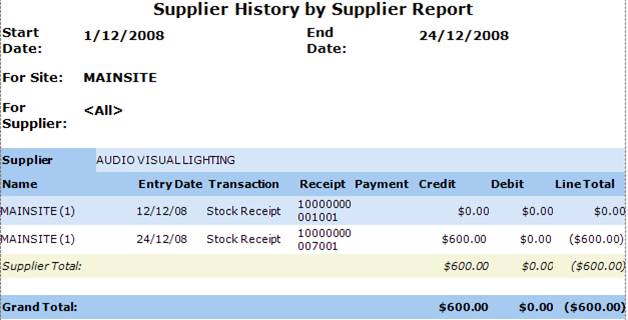
The Filters are displayed on the report as Start Date, End Date, For Site, For Supplier.
Details
The Supplier history is grouped by Supplier, site Name, Date and Time, Transaction status,Receipt reference, Credit and Debit amounts, Line Total which is credit less debit on the shipment then the Supplier Total / Site Total and Grand Total.