Stock transfer Report
From Amicus


| Amicus | |
| Stock transfer Report | |
| See Also Submit feedback on this topic | |
| Reports > Product Reports > Stock transfer Report |
Glossary Item Box
This report lists details on stock which is to be transferred between sites, either sales fronts or storage locations. The report outlines which site the stock will be delivered too, procured from and when the items are due to arrive. The report also lists the given value of the stock and how much is to be transferred.
Click Reports on the Main Menu, followed by Product Reports then Stock Transfer Report option. Alternatively, click Products on the Toolbar followed by Reports, Product Reports then Stock Transfer Report option.
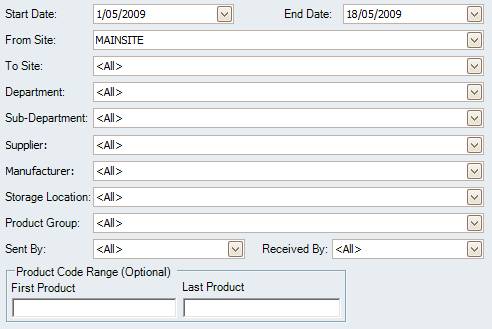
Figure : Stock transfer Report options
Options
Select the Site From / To, Start Date, End Date, Department, Sub-Department, Supplier, Manufacturer, Storage Location, Product Group, Product Code Range (Optional), who the transfer was Sent / Received By.
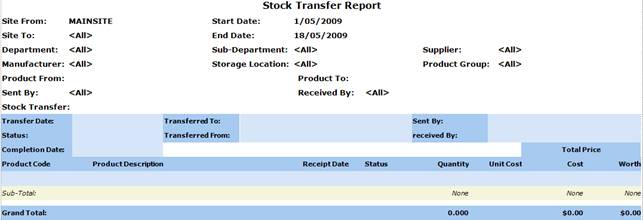
Figure : Stock transfer Report sample report
Filters
The filters added to the report include; Site From / To, Start Date, End Date, Department, Sub-Department, Supplier, Manufacturer, Storage Location, Product Group, Product From / To Code, who the transfer was Sent / Received By.
Details
The transfers are listed by; Transfer Date, Status of the over all transfer, Completion Date, Transferred To, Transferred From, Product Code / Description, Recept Date, Status of the individual products being transferred, Quantity, Unit Cost, Total Price, Sub-Total and Grand Total of the Quantity, Cost and Worth of the transfer.