Stock To Be Ordered
From Amicus


| Amicus | |
| Stock To Be Ordered | |
| See Also Submit feedback on this topic | |
| Reports > Product Reports > Stock To Be Ordered |
Glossary Item Box
This report lists all details of stock to be ordered and by whom.
Click Reports on the Main Menu, followed by Product Reports then Stock To Be Ordered option. Alternatively, click Products on the Toolbar followed by Reports, Product Reports then Stock To Be Ordered option.
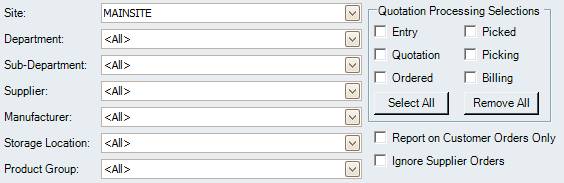
Figure : Stock To Be Ordered options
Options
Select the Site, Department, Sub-Department, Supplier, Manufacturer, Storage Location, Product Group then the Quotation Processing Selections. Results can be further filtered by selecting Report on Customer Orders Only and, Ignore Supplier Orders.
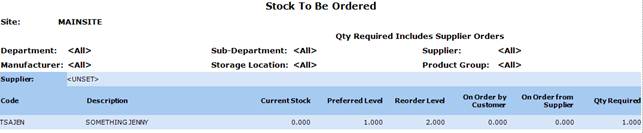
Figure : Stock To Be Ordered sample report
Filters
The generated report lists the filtered results including; Site, Department, Sub-Department, Supplier, Manufacturer, Storage Location and Product Group.
Details
The stock orders are listed by; Supplier, product Code / Description, Current Stock quantity, Preferred Level of stock, On Order by Customer, On Order from Supplier and the Qty Required.