Resuming Suspended Sale in Amicus
From Amicus


| Amicus | |
| Resuming Suspended Sale in Amicus | |
| Submit feedback on this topic | |
| Amicus PDA > Features of NBS Amicus PDA > Sale > Resuming Suspended Sale in Amicus |
Glossary Item Box
While in Amicus, select Make A Sale from the main menu or Sale followed by Enter a Sale... from the file menu.
If any Suspended sales exist, the Select Suspended Sale dialogue will be displayed.
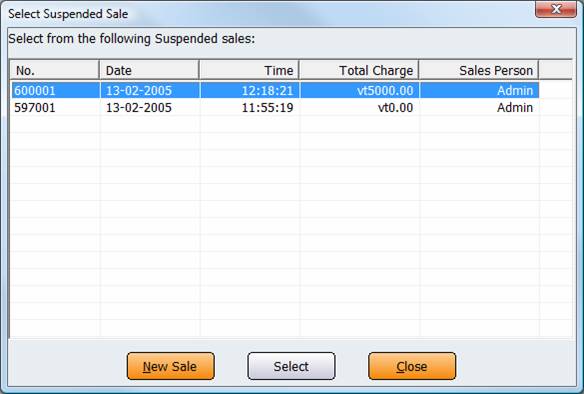
Figure : Amicus Select Suspended Sale screen
Select the sale you with to resume then hit the Select button, the Enter Invoice Sale dialogue will be displayed and pre populated with the details from the suspended sale, refer to How to Make a Sale Using the Invoicing Screen.