Product Listing Report
From Amicus


| Amicus | |
| Product Listing Report | |
| See Also Submit feedback on this topic | |
| Reports > Product Reports > Product Listing Report |
Glossary Item Box
The Product Listing Report gives a brief lust of product per department, including location, supplier & status of the item.
Click Reports on the Main Menu, followed by Product Reports then Product Listing Report option. Alternatively, click Products on the Toolbar followed by Reports, Product Reports then Product Listing Report option.
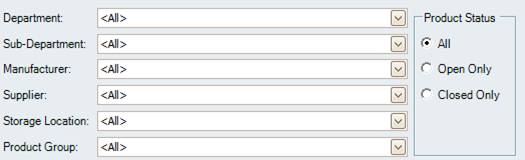
Figure : Product Listing Report options
Options
The Products listing report filter options include; Department, Manufacturer, Sub-Department, Supplier, Storage Location, Product Group, Product Status.
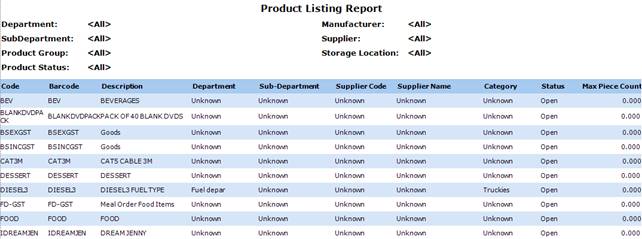
Figure 71 Product Listing sample report
Filters
The report filters list all the included options; Department, Manufacturer, Sub-Department, Supplier, Storage Location, Product Group, Product Status.
Details
The products are listed by; Code, Barcode, Department, Sub-Department, Supplier Code, Supplier Name, Category, Status, Carton Qty.