Period Stocktake variance Report
From Amicus


| Amicus | |
| Period Stocktake variance Report | |
| See Also Submit feedback on this topic | |
| Reports > Product Reports > Period Stocktake variance Report |
Glossary Item Box
This report lists all the product quantities in a stocktake, giving comparisons on totals of stock shelved in each stocktake within a period.
Click Reports on the Main Menu, followed by Product Reports then Period Stocktake Variance Report option. Alternatively, click Products on the Toolbar followed by Reports, Product Reports then Period Stocktake Variance Report option.
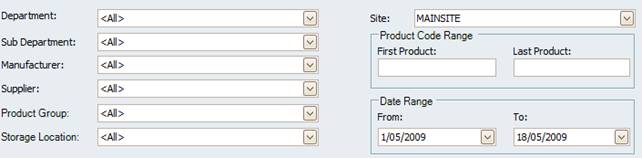
Figure : Period Stocktake variance Report options
Options
Select the Site, Department, Sub-Department, Supplier, Manufacturer, Storage Location, Product Code Range and Date Range.
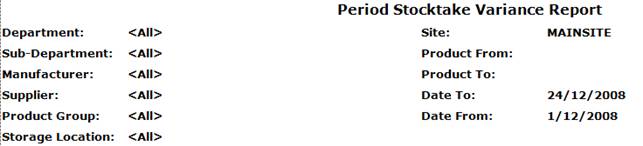
Figure : Period Stocktake variance Report sample report - filters
Filters
The generated report will list the filters used including; Site, Department, Sub-Department, Supplier, Manufacturer, Storage Location, Product From/To and Date To/From.
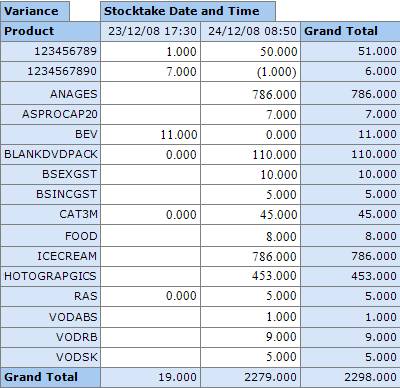
Figure : Period Stocktake variance Report sample report - details
Details
The products are listed by; Product, Stock Date and Time and Grand Total for items counted in each stock take, per product & overall.