Invoice Discounts by Department
From Amicus


| Amicus | |
| Invoice Discounts by Department | |
| See Also Submit feedback on this topic | |
| Reports > Sales Reports > Invoice Discounts by Department |
Glossary Item Box
This report lists all the discounts authorised per department, detailing who authorised the discount and which invoice the discount is associated with.
Click Reports on the Main Menu, followed by Sales Reports then Invoice Discounts by Department option. Alternatively, click Sales on the Toolbar followed by Reports, Sales Reports then Invoice Discounts by Department option.
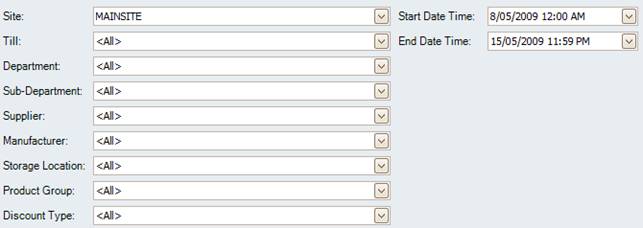
Figure : Invoice Discounts by Department options
Options
Select the Site, Till, Department, Sub-Department, Supplier, Manufacturer, Storage Location, Product Group, Discount Type and Start Date Time, End Date Time.
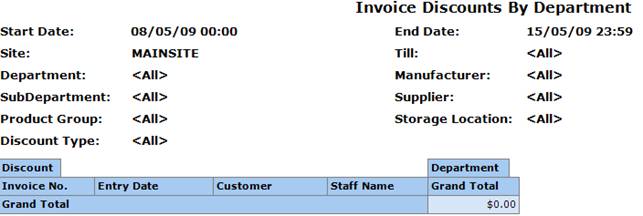
Figure : Invoice Discounts by Department sample report
Filters
The filters listed on the report will include; Site, Till, Department, Sub-Department, Supplier, Manufacturer, Storage Location, Product Group, Discount Type and Start Date Time, End Date Time.
Details
The invoices will be grouped by the Discount types and listed by, Department, Invoice No., Time and Date, Customer, Staff Name and Grand Total for the transaction & all transactions in the period.