How to perform a till cash in
From Amicus


| Amicus | |
| How to perform a till cash in | |
| Submit feedback on this topic | |
| Key Areas > Sales > Common Tasks > Supervisor Tasks > Till Actions > How to perform a till cash in |
Glossary Item Box
Adding a float into your register is a simple operation. To do so, click Sales on the Toolbar followed by Till Actions then Cash In. The Cash In/Out dialog is displayed.
As this function is generally an administration function, you may be prompted to enter your supervisor Password or Key Code or to swipe your Employee Card.
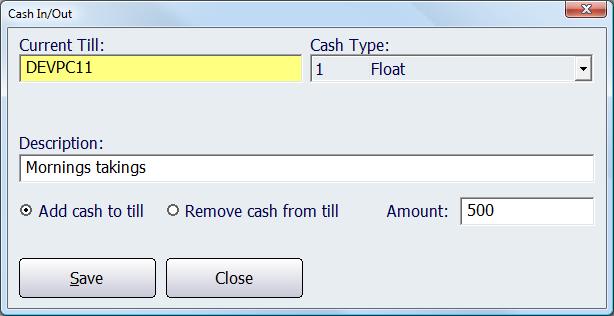
Figure : Adding a float into your register
Ensure that the Add cash to till option is selected.
Enter the amount of cash that you are putting into this register’s float in the Amount field.
Select the Cash Type & enter a Description, the details entered on the description are not not compulsory, but any details entered in there will show on staff logs for future reference.