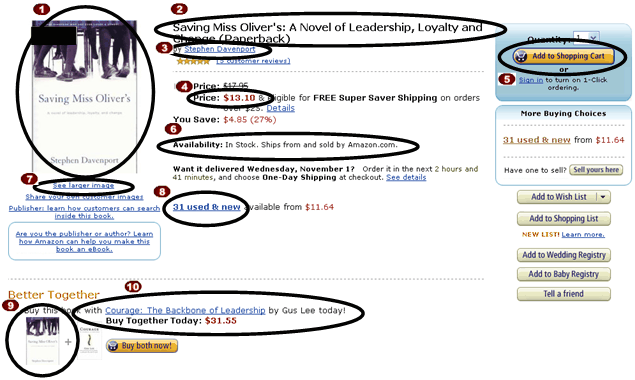
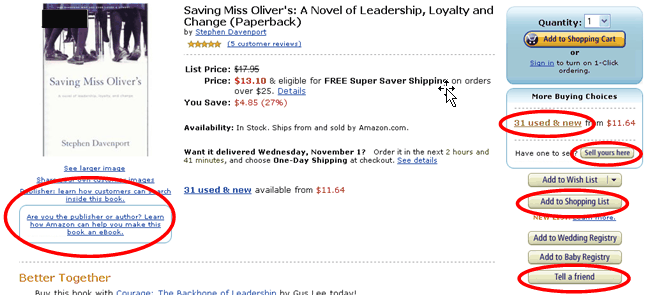
Tools to Find Out More About an Item From Product Advertising API: 2009-11-01 previous page next page Tools to Find Out More About an Item If the customer clicks on the first image in the previous screenshot, the equivalent of an Product Advertising API ItemLookup request is sent. The following page shows the elements returned by such a request and some of the functionality implemented to move the customer to the next stage, such as getting seller information and adding the item to an Product Advertising API remote shopping cart. MediumImage element Availability element Title element ItemLookup with Images response group Author element TotalItems element FormattedPrice element SmallImage element CartAdd operation SimilarityLookup The following figure shows the functionality not supported by Product Advertising API. previous page start next page