Error (MIL) Codes
From eCtune
Error (MIL) Codes
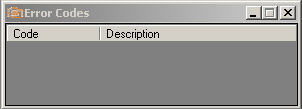 Error Codes
When you have an error code:
MIL
led will turn on
MIL in the datalogging data(parameters) window will turn
ON(RED) (double clicking will open the error code window)
To view error codes:
Click "Error
codes" on the view toolbar
Click "View Error
Codes" after right-click on the datalog grid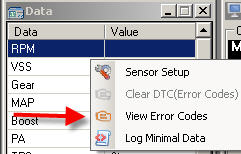
Click "View" -> "Error codes"
Shortcut:
CTRL + E
Clear Error
Codes:
Click "Clear DTC(error codes)" after right-clicking on the
datalog grid
Click "Clear DTC(error codes)" after right-clicking on the error
code list
Click "Tools"->"Clear DTC(error codes)