Report Manager Interface
From Alchemex
Home >
Report Manager Interface.
The Report Manager Interface allows users to design and manage their own reports and to display results in Microsoft Excel.
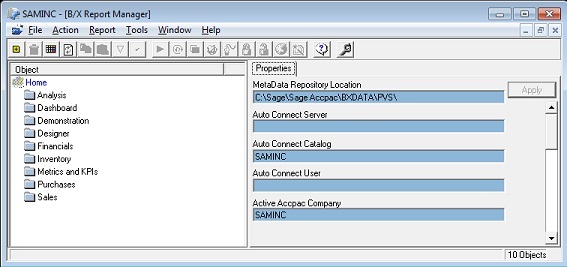
To use the functions of the Report Manager Interface you will first need to select an object (i.e. a Folder or Report) in the Object window.
When you have selected an object in the Object window, you can edit the Properties of your chosen object by using the Property fields provided in the Properties window.
To save any changes you make to the Properties of your chosen object, you must click the Apply button.
The Report Manager Interface also includes a standard windows menu bar and a Report Manager Toolbar to simplify its use.