Wet Stock Report
From Amicus


| Amicus | |
| Wet Stock Report | |
| See Also Submit feedback on this topic | |
| Reports > Fuel Reports > Wet Stock Report |
Glossary Item Box
The Wet Stock report shows tank volume readings and volumes of transactions for a given day.
Click Reports on the Main Menu, followed by Fuel Reports then Wet Stock Report option.
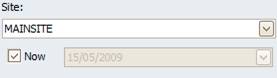
Figure : Wet Stock Report options
Options
Select the Site where fuel pumps are located and the date the readings took place or Now.
NOTE: Please keep checked unless absolutely necessary as the process will revert back to the closest stocktake to the date asked and subtract all interactions on each product requested.
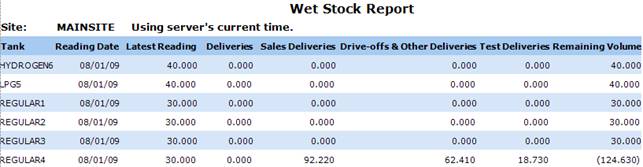
Figure : Wet Stock Report sample report
Filters
The report displays the Site and the selected date the reading occurred.
Details
Tank, Reading Date, Latest Reading, wet stock supplied in Deliveries , Sales Deliveries volume, any lost volume due to Drive-offs & Other Deliveries, the volume of Test Deliveries and the Remaining Volume after all deliveries.
See Also
Amicus Reports GuideFuel Reports