Sales By Till And Department Report
From Amicus


| Amicus | |
| Sales By Till And Department Report | |
| See Also Submit feedback on this topic | |
| Reports > Sales Reports > Sales By Till And Department Report |
Glossary Item Box
The Sales by Till And Department Report lists all sales made through a department on all tills within a given period.
Click Reports on the Main Menu, followed by Sales Reports then Sales By Till And Department Report option. Alternatively, click Sales on the Toolbar followed by Reports, Sales Reports then Sales By Till And Department Report option.
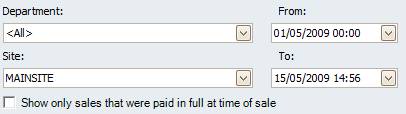
Figure : Sales By Till And Department Report options
Options
Select the date From, date To, Department, Site then check Show only sales that were pain in full at time of sale to exclude sales that were not pain in full at time of sale.
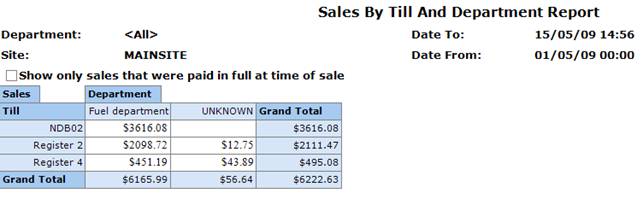
Figure : Sales By Till And Department Report sample report - Filters & Table of Figures
Filters
The selected filters are listed as Date To / Date From, Department and Site.
Details
Each sale is listed by Till and are grouped by sales in each Department and Grand Total of sales per till.
Graph
In addition the table of figures, a graphical representation of sales per department per till in a bar chart. I.e. each bar represents the value of sales in a department & the departments are grouped by which till processed the sales.
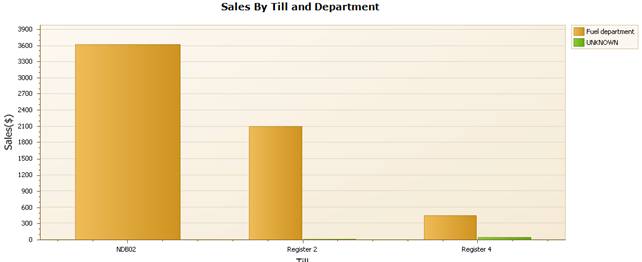
Figure : Sales By Till And Department Report sample report - graph