Price Change Rules Report
From Amicus


| Amicus | |
| Price Change Rules Report | |
| See Also Submit feedback on this topic | |
| Reports > Pricing Reports > Price Change Rules Report |
Glossary Item Box
This report will list all price changes along with their associated reasons for the change and the period of the rules effect.
Click Reports on the Main Menu, followed by Pricing Reports then Price Change Rules Report option. Alternatively, click Products on the Toolbar followed by Reports, Pricing Reports then Price Change Rules Report option.
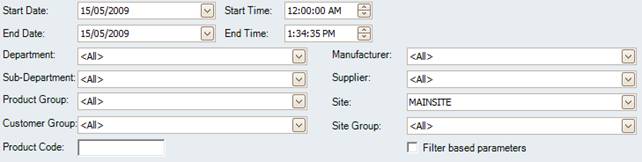
Figure : Price Change Rules Report options
Options
The reports results can be filtered by; Start Date Time, End Date Time, Department, Sub-Department, Product Group, Manufacturer, Supplier, Site, Site Group and Product Code. Results can be further filtered by selecting Filter Based Prices to include promotional prices.
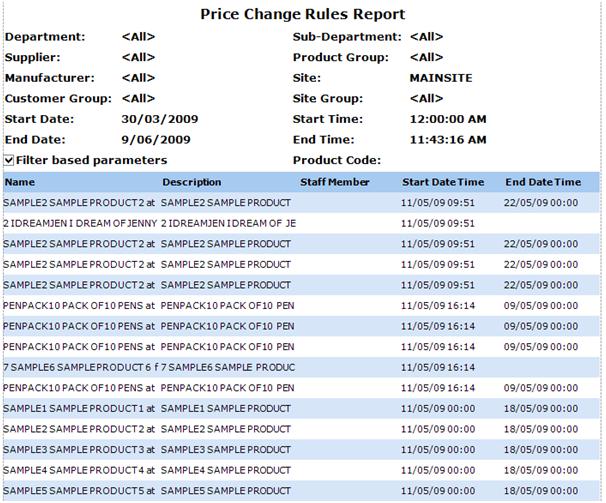
Figure : Price Change Rules Report
Filters
The filters list the price rule by; Start Date Time, End Date Time, Department, Sub-Department, Product Group, Manufacturer, Supplier, Site and Site Group. Results are grouped by Product Code.
Details
Price changes are listed by Name, Description, Staff Member, Start Date Time and End Date Time.