Period Payments By Customer Report
From Amicus


| Amicus | |
| Period Payments By Customer Report | |
| See Also Submit feedback on this topic | |
| Reports > Accounting Reports > Period Payments By Customer Report |
Glossary Item Box
This report shows details on periodical payments made by customers within a selected time frame.
Click Reports on the Main Menu, followed by Accounting Reports then Period Payments By Customer Report option. Alternatively, click Sales on the Toolbar followed by Reports, Accounting Reports then Period Payments By Customer Report option.

Figure : Period Payments By Customer Report options
Options
Options include; Start Date, End Date, Site and Ignore Cash Customer.
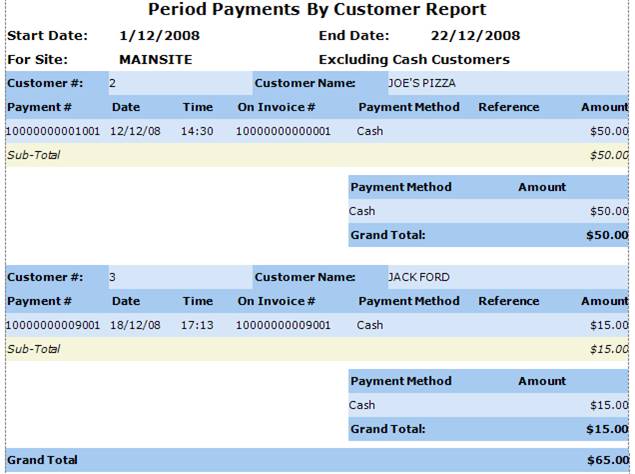
Figure : Period Payments By Customer sample report
Filters
Displays selected filters include; Start Date, End Date, For Site and Excluding/Including Cash Customer.
Details
Displays the report details listing the Customer #, Customer Name, Payment #, Date/Time, On Invoice #, Payment Method, Reference, Amount, Sub-Total, Grand Total.