Compacting MetaData
From Alchemex 7.1
Home > Connector > Maintaining the Connector > Compacting MetaData
Compacting MetaData
Compacting your MetaData occasionally can result in improved system performance. Depending on your usage levels it may be desirable to do this more often.
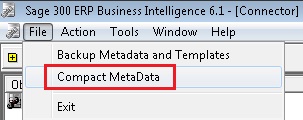
Select File.
Select Compact Metadata.
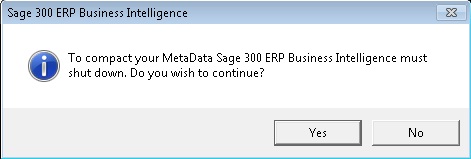
A window will appear stating that Sage Intelligence Reporting must shut down.
Select Yes.
The Maintenance Utility will then open.
Select Compact SVD.
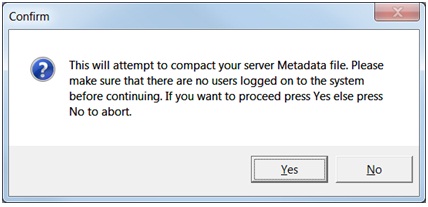
A Confirm message box will appear.
Select Yes.
The Sage Intelligence Reporting Maintenance Utility window will be populated with commands as it gets executed.
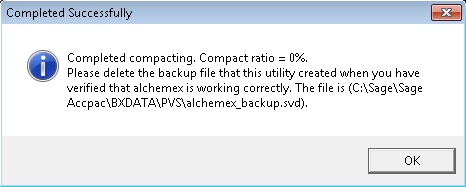
When it has completed, a message will appear, asking you to delete the backup file after verifying that Sage Intelligence Reporting is working correctly.
Select OK.
The backup file can either be deleted or kept as an additional backup.